LlamaGen.Ai LogoLlamaGen.Ai Brand
  • Home
  • Articles
  • CreateCreate: Turn your story into comic panels and strips within secondspapp
  • Pricing
  • YouTube
  • X (Twitter)
Try FreeLaunch appTry Free
Leading the Future of AI Comic Generation
24/7 support
Weekly updates
Secure and compliant
99.9% uptime
LlamaGen.Ai logo

隨時掌握最新資訊

LinkedInX (Twitter)YouTubeFacebook groupRedditDiscordEmail support

Product

  • comic strip maker
  • AI Manga StudioNew
  • Turn Picture Into Comic
  • AI Anime Art Generator
  • Comic To Video
  • AI Agents for Professional Services
  • Consistent characters
  • AI Comic Factory
  • AI Educational Comics Maker
  • AI Anime Generator
  • Intelligent Canvas
  • AI Story Generator & AI Story Writer
  • Comic Agent
  • Video Agent
  • draw
  • Cyani Model For ACG
  • Testimonials
  • Wall of Love

AI Tools

  • AI Video Generator
  • AI Image Generator
  • Image to Video
  • Remove Background
  • Make Comics
  • Line Art Colorization
  • Consistent Characters Video
  • More Tools
  • Image Models
  • Video Models
  • Playground AI
  • Sketch Simplification
  • Grayscale Image
  • Visual Story Writing
  • AI Music Video Generator
  • Suno Music Video
  • AI Character Sheet Generator
  • Character Sheet Cropping Tool
  • Crop Image
  • Comic Panel Segmentation Tool
  • More Tools

Style Generators

  • AI Style Generators
  • 3D Render Generator
  • Anime Film Style Generator
  • American Comic Style Generator
  • Cartoon Style Generator
  • Chibi Style Generator
  • Claymation Style Generator
  • Digital Comic Style Generator
  • Japanese Illustration Style Generator
  • Korean Manhwa Style Generator
  • Watercolor Style Generator

Company

  • About
  • Product Roadmap
  • Careers
  • Contact us
  • Email us
  • Our Mascot World
  • Media Kit
  • Security
  • Content
  • Accessibility

Resources

  • Changelog
  • Help Center
  • Blog
  • Video Tutorial
  • FAQ
  • Features
  • Alternatives
  • Best AI Apps
  • Comic That
  • Comic API
  • Affiliates
  • Educational Discounts
  • Student discount
  • Partner

LlamaGen for

  • Teachers
  • Students
  • Teachers and Students
  • education
  • Enterprise
  • Startups
  • Creators
  • Open Source
  • Sequential Art

作為LlamaGen聯盟合作夥伴,賺取高達 30% 的佣金

只需推薦你的朋友、追隨者和顧客,即可終身賺取高達 30% 的循環佣金!

SpanishFrench (Standard)Italian (Standard)JapaneseKoreanGerman (Standard)ArabicChinese TraditionalChinese SimplifiedPortuguese
© 2026 LlamaGen.Ai All rights reserved.
Terms & ConditionsPrivacy PolicyDownload Brand Assets
All services are online
Gift icon
Gift icon
LlamaGen.Ai LogoLlamaGen.Ai Brand
免費試用啟動應用免費試用

Try LlamaGen

Drop a prompt or reference—get comics & animation with consistent characters from shot to shot.

Sign upLearn more
Best apps11 min read
All posts

The best free graphic design software to create social media posts
By LlamaGen Team · April 24, 2026

We independently review every app we recommend.

If you just need a clean post, banner, or promo tile, there are plenty of free design tools that can get you there. But if your social visuals need to become a repeatable character series, a comic-style campaign, or a story-led launch system, the question changes. You are no longer choosing only for templates. You are choosing for what happens after the first export.

That is where LlamaGen fits into this category. Tools like Canva, Adobe Express, Snappa, VistaCreate, and Desygner are useful for single posts and fast brand assets. LlamaGen becomes the layer that turns those assets into a visual system with consistent characters, reusable scenes, and story-first campaign outputs.
If your job ends at one polished post, a classic design tool is enough. If that post is the first frame of a larger campaign world, LlamaGen is the more relevant workflow.

Start creating in LlamaGen

  • Create a new comic
  • Create a new animation
  • Start a manga project
  • Generate AI images
  • Build AI characters
  • Plan a storyboard

The best free graphic design software at a glance

  • Canva for flexible template-based design
  • Adobe Express for growing a side hustle or creator brand
  • Snappa for occasional social graphics
  • VistaCreate for social plus print designs
  • Desygner for quick branded image production

How to choose the right tool

The source article gets the core decision logic right: a useful free design app needs enough templates, enough editing control, and enough export flexibility that it actually helps you ship.

For LlamaGen readers, there are a few extra questions worth asking:

  • Do you need one post or a whole campaign system?
  • Are you protecting a brand kit, a recurring cast of characters, or both?
  • Will your assets stay as flat graphics, or become comics, storyboards, and narrative sequences?
  • Do you need speed for one-off social posts, or consistency across repeated episodes?

Where LlamaGen changes the workflow

Most design apps in this category are great at layout, resizing, and lightweight image editing. They are less helpful when the campaign needs continuity.

LlamaGen is strongest when you want to:

  • keep the same character design stable across multiple posts
  • turn a campaign brief into a sequence instead of isolated graphics
  • move from marketing assets into comic panels, teaser scenes, and episode-style visuals
  • build recurring creative formats that are more narrative than template-driven

That makes LlamaGen less of a direct replacement for every design tool on this list, and more of a better end point for creators who need a story-first output.

Canva

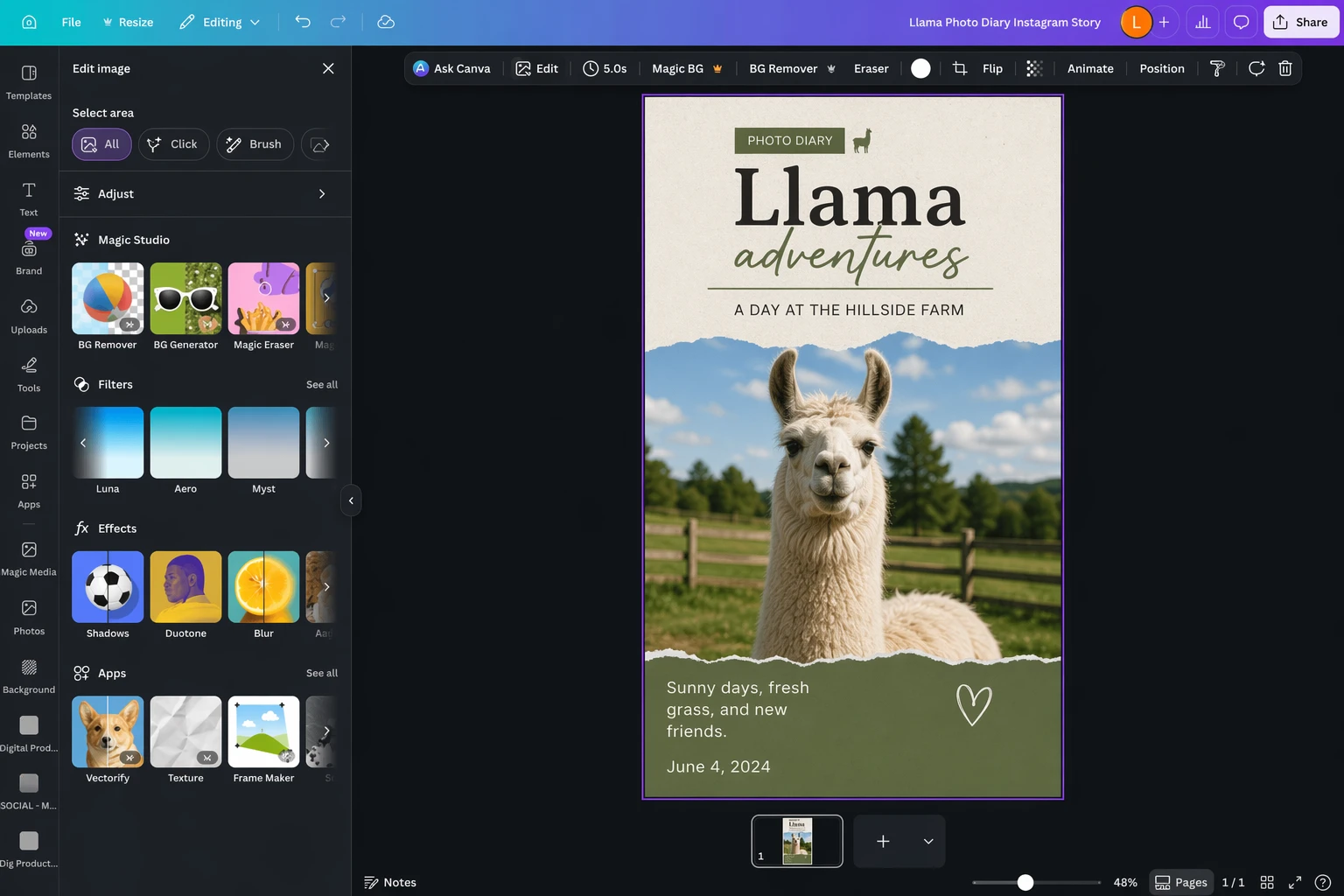
Edited Canva social design screenshot

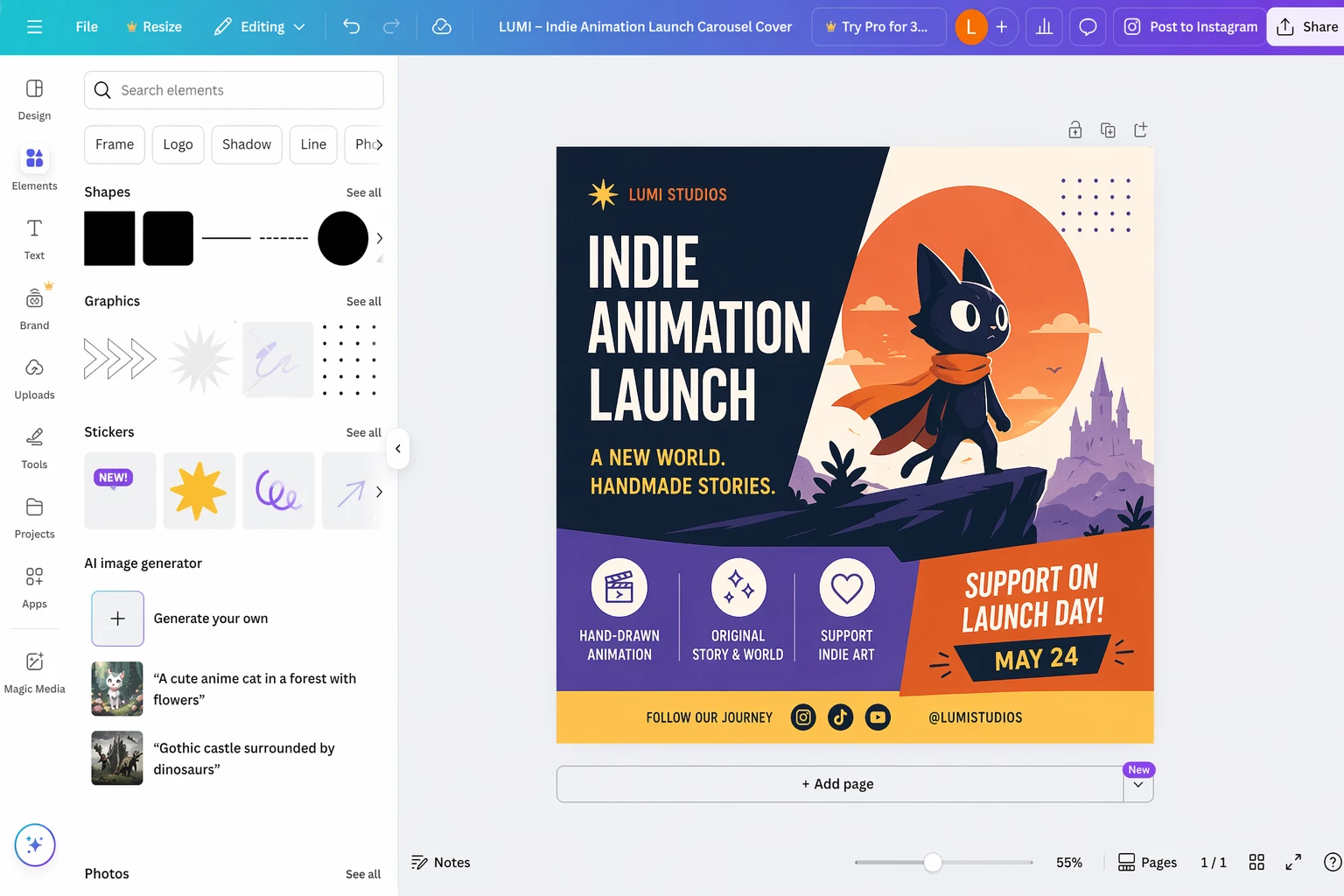
Canva is still the easiest all-round recommendation for most people. It has the widest template culture, a broad free plan, and enough AI-assisted features that beginners can make something useful quickly. If your work is mostly social posts, announcements, decks, or simple promos, Canva remains a very strong default.

Where it starts to feel limited is when your creative system depends on continuity. Canva can help you design the post. It is less opinionated about keeping a cast, scene logic, or serialized visual structure coherent over time.

Adobe Express

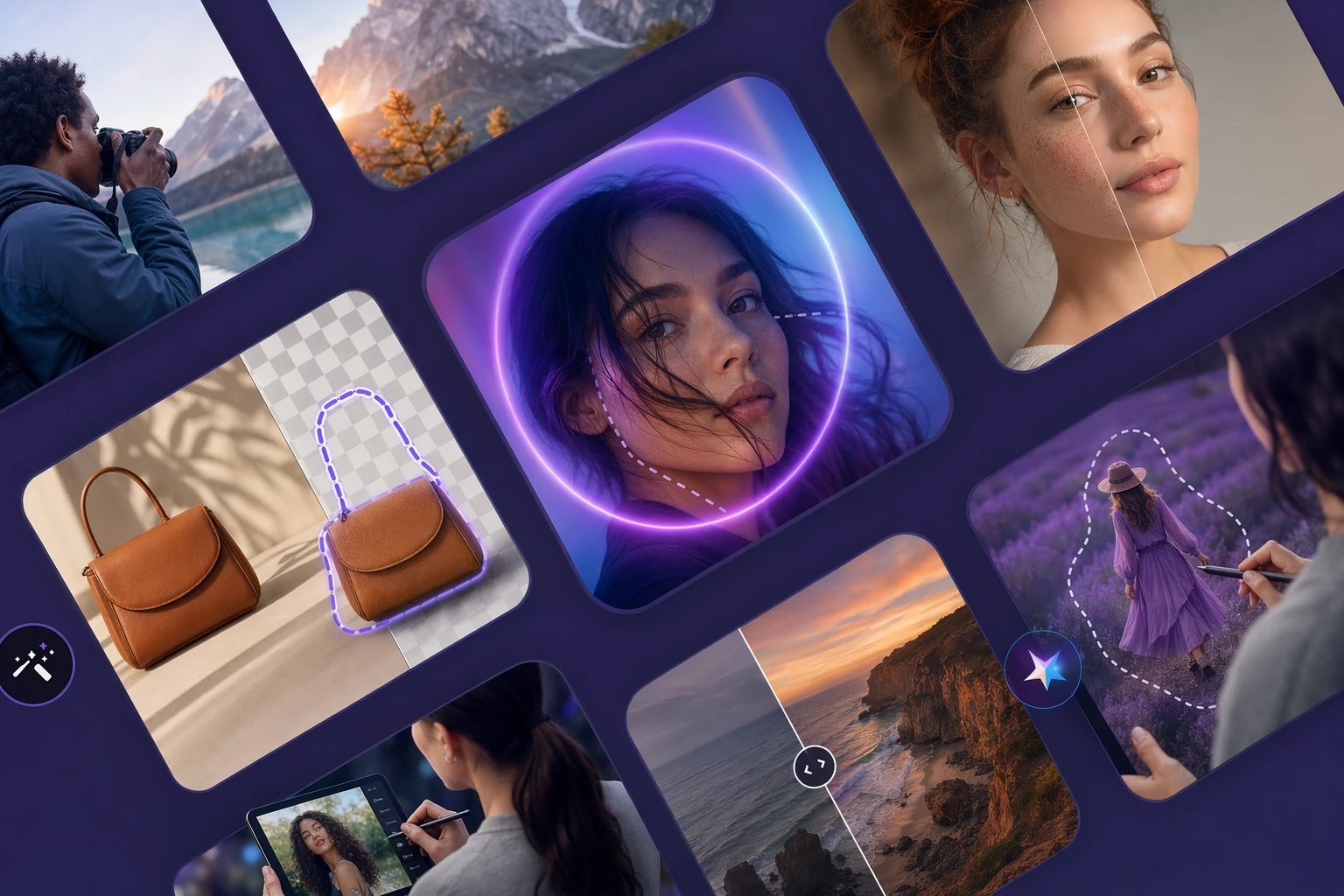
Edited Adobe Express social design screenshot

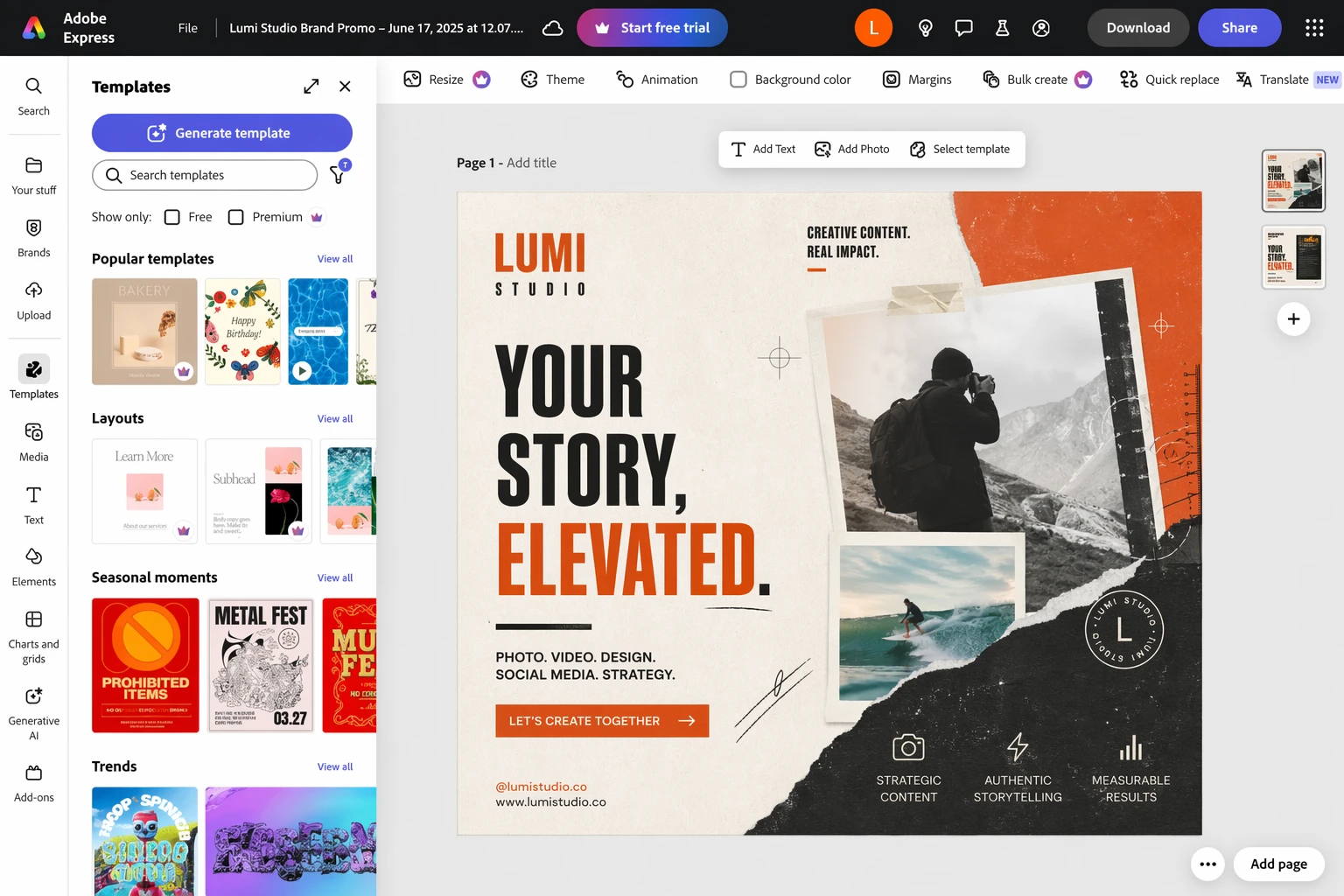
Adobe Express is a strong choice when the social post is part of a broader creator or brand workflow. It is especially useful if you already live inside Adobe tools and want a lighter, faster layer for templates and quick marketing assets.

Compared with Canva, it can feel more connected to a professional design stack. Compared with LlamaGen, it still lives much more in the world of single assets than narrative production.

Snappa

Edited Snappa social design screenshot

Snappa is appealing because it keeps the free experience simple. If you only make occasional graphics, it is one of the easiest ways to avoid constant upsell friction. That tradeoff is worth it for light usage.

Its ceiling is lower than Canva or Adobe Express, which is exactly why it works best for occasional creators instead of teams building a larger visual system.

VistaCreate

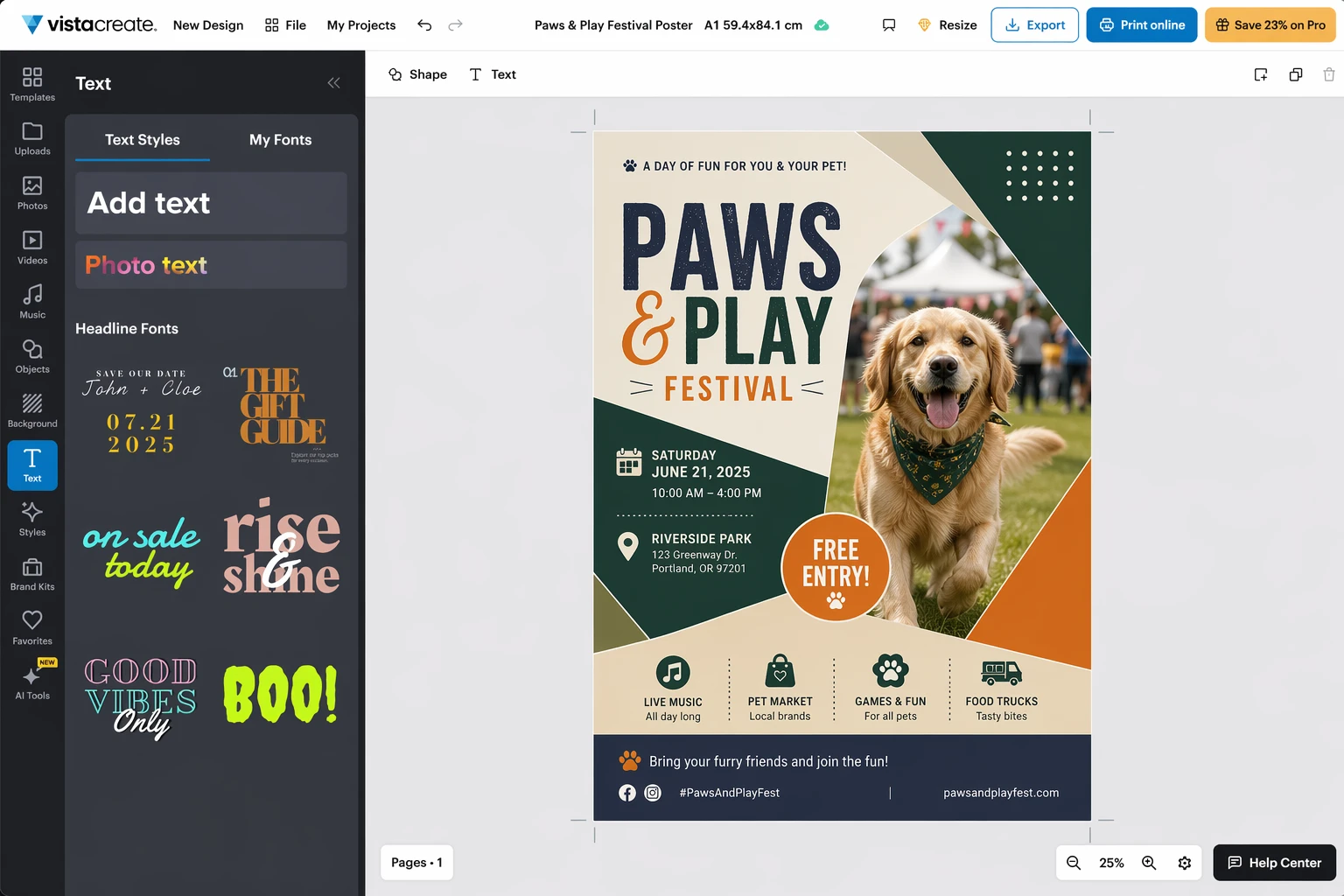
Edited VistaCreate social design screenshot

VistaCreate becomes more interesting if your work crosses between social content and printed materials. That print angle is what makes it stand out from the other free tools in this group.

If your workflow includes posters, flyers, menus, or event collateral alongside social graphics, VistaCreate can be the more practical choice. It still works best as a design tool first, not a continuity engine.

Desygner

Edited Desygner social design screenshot

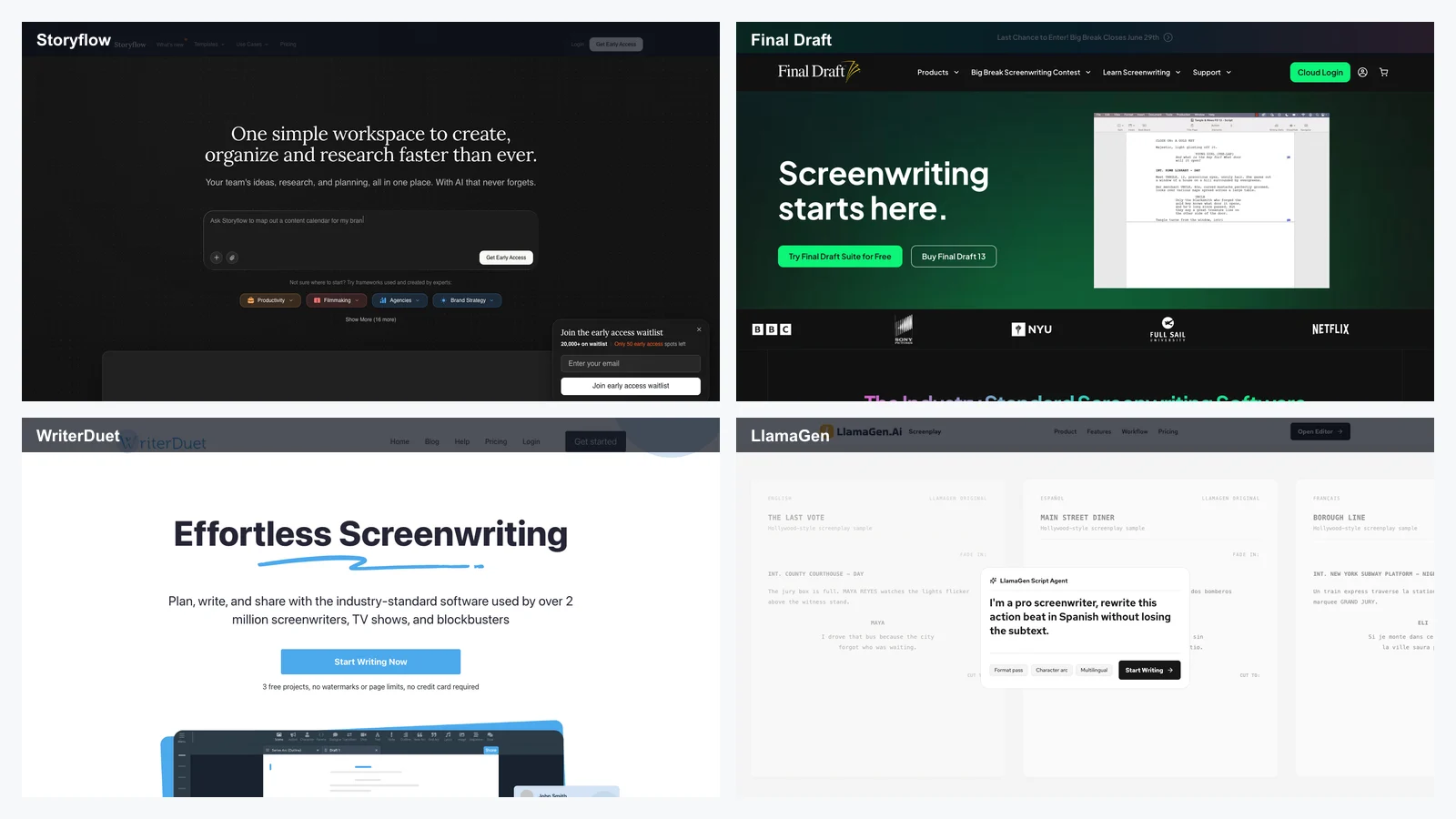
Desygner is useful when you want something fast, team-friendly, and template-oriented without paying enterprise prices. It is easier to recommend for small businesses that need steady branded output but do not need a deep professional design stack.

That makes it a practical production tool, even if it is not the most exciting one creatively.

Where the classic design tools still win

It is worth being direct about this:

  • If you mostly need standard social posts, Canva is still the most convenient answer.
  • If you already use Adobe heavily, Adobe Express can slot into your workflow more naturally.
  • If you only publish occasionally, Snappa may be all you need.

LlamaGen wins when the output needs narrative cohesion, recurring visual identity, and a stronger sense of worldbuilding than template tools usually provide.

Which tool should you use?

If you want the broadest mainstream option, start with Canva.

If you want a more Adobe-shaped workflow, try Adobe Express.

If you just need occasional graphics for free, Snappa is still worth a look.

If print matters, VistaCreate has a clearer advantage.

If you need a small-team template engine, Desygner is practical.

If your campaign needs to look like a series instead of a stack of disconnected posts, use one of those tools for layout, then move the assets into LlamaGen to create comics, storyboard sequences, character-led promos, and repeatable visual narratives.

This article was rewritten for LlamaGen readers with a stronger story-first workflow lens.

Tags
DesignSocial MediaMarketing
Mentioned Apps
CanvaAdobe ExpressVistaCreateSnappaLlamaGen

Related articles

The 8 best Canva alternatives
Best apps
The 8 best Canva alternatives
Photoshop alternatives: 8 best free photo editors
Best apps
Photoshop alternatives: 8 best free photo editors
The best AI photo editors
Best apps
The best AI photo editors
Canva AI: how to use AI tools to enhance your designs
Best apps
Canva AI: how to use AI tools to enhance your designs
The best AI comic generators in 2026
Best apps
The best AI comic generators in 2026
The best animation software for creators in 2026
Best apps
The best animation software for creators in 2026

Get productivity tips delivered straight to your inbox

We'll email you 1–3 times per week—and never share your information.

AI ASSETS → STORIES

Improve your productivity automatically. Use LlamaGen to turn AI assets into stories.

Use your favorite design tools—then import the assets into LlamaGen to create comics, images, and animations.

Get startedLearn more
Consistent characters
Smart panel layouts
Episode assembly
LlamaGen.Ai logo

隨時掌握最新資訊

LinkedInX (Twitter)YouTube
Facebook group
Reddit
Discord
Email support

產品

  • 漫畫條製作器
  • AI漫畫工作室New
  • 圖片轉漫畫
  • AI動漫藝術生成器
  • 漫畫轉視頻
  • AI Agents for Professional Services
  • 一致的角色
  • AI漫畫工廠

作為LlamaGen聯盟合作夥伴,賺取高達 30% 的佣金

只需推薦你的朋友、追隨者和顧客,即可終身賺取高達 30% 的循環佣金!

SpanishFrench (Standard)Italian (Standard)JapaneseKoreanGerman (Standard)ArabicChinese TraditionalChinese SimplifiedPortuguese
© 2026 LlamaGen.Ai 版權所有.
Terms & Conditions隱私政策下載品牌資產
所有服務均在線
  1. Home
  2. Articles
  3. Graphic Design Tools For Social Media Images
AI教育漫畫製作器
  • AI動畫生成器
  • Intelligent Canvas
  • AI故事生成器和AI故事編寫器
  • 漫畫代理
  • 視頻代理
  • 繪製
  • Cyani Model For ACG
  • 推薦
  • 愛之牆
  • AI工具

    • AI 影片產生器
    • AI圖像生成器
    • 圖像轉視頻
    • 移除背景
    • 製作漫畫
    • 線稿上色
    • 一致的角色視頻
    • 更多工具
    • 圖像模型

    Style Generators

    • AI Style Generators
    • 3D Render Generator
    • Anime Film Style Generator
    • American Comic Style Generator
    • Cartoon Style Generator
    • Chibi Style Generator
    • Claymation Style Generator
    • Digital Comic Style Generator
    • Japanese Illustration Style Generator

    公司

    • About
    • 產品路線圖
    • 職業
    • 聯繫我們
    • 電郵我們
    • 我們的吉祥物世界
    • 媒體套件
    • 安全
    • 內容

    資源

    • 更新日誌
    • 幫助中心
    • 博客
    • 視頻教程
    • 常見問題
    • 特性
    • 替代方案
    • Best AI Apps
    • 漫畫作品
    • 漫畫 API

    LlamaGen適用於

    • Teachers
    • Students
    • 教師和學生
    • 教育
    • 企業
    • 新創企業
    • 創作者
    • 開源
    • 連環圖藝術
    • Home
    • Articles
    • 建立Create: Turn your story into comic panels and strips within secondspapp
    • 價格
    Video Models
  • Playground AI
  • 草圖簡化
  • 灰階影像
  • 視覺化故事寫作
  • AI 音樂影片生成器
  • Suno 音樂視頻
  • AI角色表生成器
  • 角色設定檔裁剪工具
  • Crop Image
  • 漫畫分鏡切割工具
  • 更多工具
  • Korean Manhwa Style Generator
  • Watercolor Style Generator
  • 無障礙
  • 聯盟
  • 教育折扣
  • 學生優惠
  • 合作夥伴
  • YouTube
  • X (Twitter)
  • 引領 AI 漫畫生成的未來
    全天候支援
    每週更新
    安全且符合規定
    99.9%的運行時間