


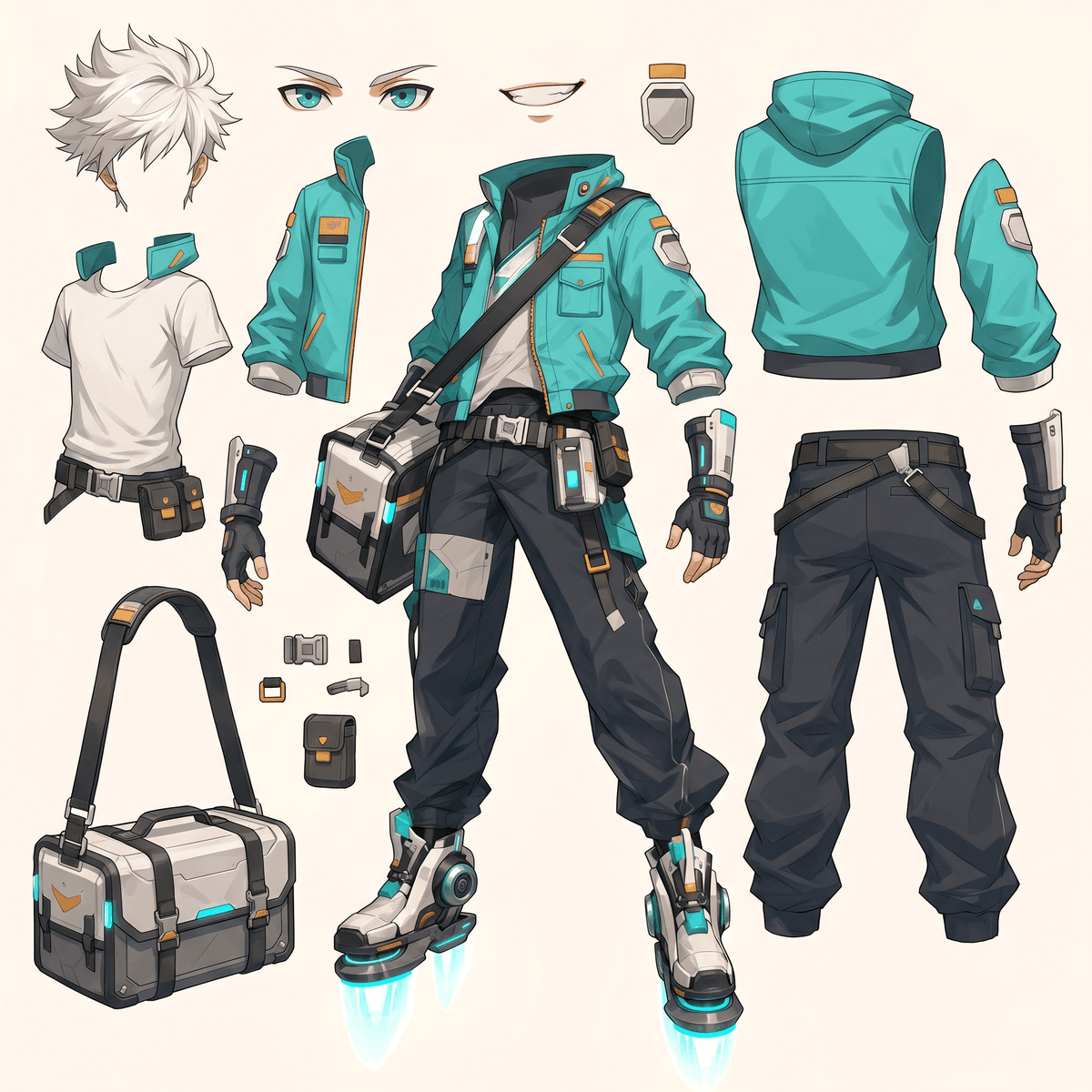
Separate one image into editable layer assets
Start with the loaded sample or upload your own character, prop, product shot, or illustration. Quick Mode creates a practical asset sheet first; PRO exports separate layer files.
Run the sample or replace it with your image.
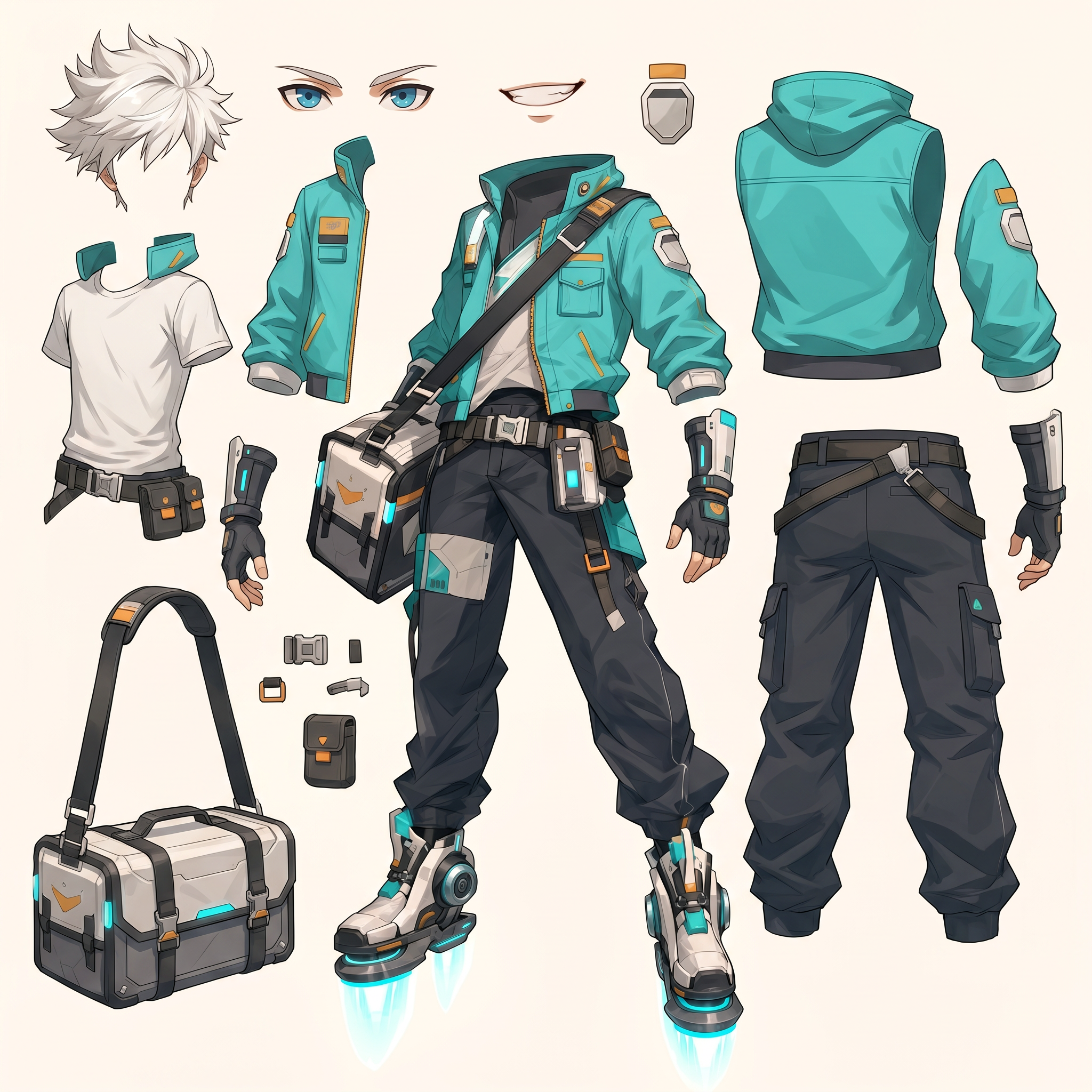
Quick mode gives one clean sheet first.
Download the result from the preview.
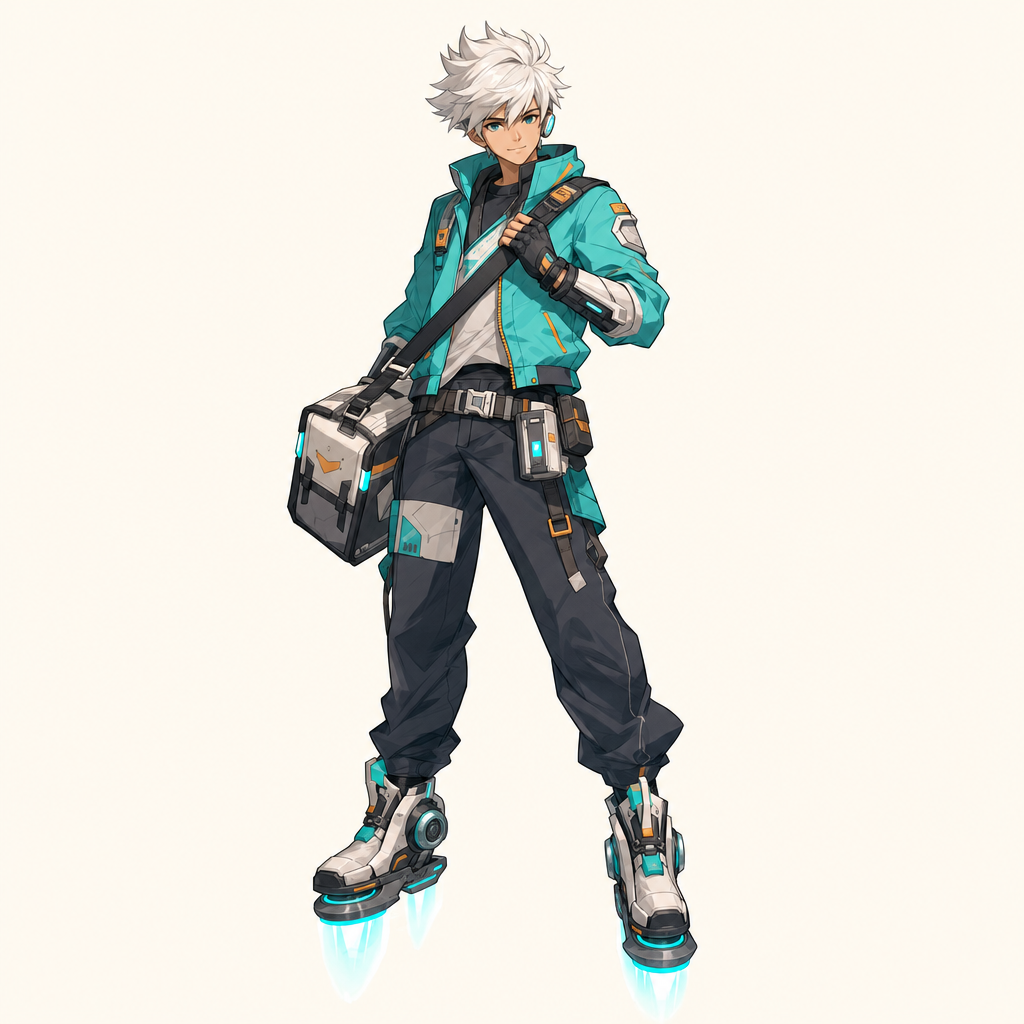
Source
Pripravené
Mode
Quick Mode
Výsledok
Pending
Sample is ready
Quick Mode creates one asset sheet.
Asset Sheet Preview
Ready to generateDemo image is loaded
Create the first result, then replace the image when you're ready.
Vyberte si plán, ktorý je pre vás vhodný
Užite si vysokú kvalitu AI kreativity vďaka flexibilným abonentným plánom.



Štandardný plán -20%
Viac kreditov znamená viac možností tvorby
15000 kreditov obnovovaných mesačne
Režim jednej/viacerých strán
Automatické titulky
10 vlastných komiksových postáv
Neobmedzené používanie Gemini 3
Rýchle generovanie
Pokročilé AI modely obrázkov
Stabilný výstup rozprávania
Vytvorte až 20 panelov na jedno zadanie
Pro plán -20%
Nekonečné generácie pre neobmedzené nápady
45000 kreditov obnovovaných mesačne
Všetko v STANDARD
Konzistentnosť postáv
Komiks na video
Neobmedzená tvorba postáv
Najrýchlejšia generácia
Všeobecné obchodné podmienky
Neobmedzené šablóny
Nano Banana/FLUX/CyaniModel
Skorý prístup k pokročilým AI funkciám
Vytvorte až 40 panelov na jedno zadanie
Neobmedzený plán -40%
Rýchle, pre firemné použitie a s exkluzívnym prístupom
135000 kreditov obnovovaných mesačne
Všetko v PRO
Neobmedzené projekty
Konzistentnosť postáv
Neobmedzený počet postáv vo vašich komiksoch
Najrýchlejšia generácia videa
Globálny jazykový balík
Všeobecné obchodné podmienky
Správca účtu
Prístup do galérie členov
Nano Banana/FLUX/CyaniModel
Vytvorte až 64 panelov na jedno zadanie
Neobmedzený plán produkcie -40%
Pre profesionálnych tvorcov. Najlepšie pre komiksy, animácie, filmy a seriály.
270000 kreditov sa obnovuje mesačne
Všetko v UNLIMITED
Neobmedzené projekty
Neobmedzená dĺžka príbehu
Konzistentnosť postáv
Neobmedzený počet postáv vo vašich komiksoch
Najrýchlejšia generácia videa
Globálny jazykový balík
Všeobecné obchodné podmienky
Správca účtu
Nano Banana PRO Majstrovské dielo
Vytvorte až 64 panelov na jedno zadanie
Balík kreditov

6000
7,500credits+25.00%

12000
20,000credits+66.67%

30000
50,000credits+66.67%
Tímový plán
Prémiový zážitok, navrhnutý pre tímy.
- Zdieľané kredity pre celý tím
- Spoločný pracovný priestor pre spoluprácu
- Bezproblémová migrácia zdrojov
- Správa tímu a oprávnenia
- Prioritná zákaznícka podpora
Flat Images Are Hard to Animate
Manual layer prep slows down every creative workflow
A finished illustration usually arrives as one flat image. Before you can animate it, rig it, remix it, or reuse it in a game, you need usable parts: face, hair, clothing, hands, props, foreground, and background.
Manual Cutting Takes Hours
Selection tools, masks, and cleanup can take longer than the creative idea itself.
Asset Prep Blocks Motion
Animation, Live2D planning, parallax edits, and sprite work all need separated parts before production can move.
Not Every User Needs PSD Complexity
Many creators only need one clear split sheet to understand parts and start building.
Split Image Assets with AI
Two workflows for different levels of control
AI Layer Splitter starts from the image you already have and prepares usable visual assets. Choose the faster sheet workflow when you need a direct result, or use PRO when you need separate layer images.
Quick Mode
Generate one organized asset sheet from the uploaded image. Best for planning, animation references, character parts, and game art handoff.
PRO Mode
Use the current advanced splitter to extract multiple individual layer images for more detailed editing and compositing.
Style-Aware Splitting
Preserve the original illustration style while separating visible parts such as hair, eyes, clothing, hands, props, and accessories.
How to Split Image Assets
Upload once, choose the output level, and export usable parts.
Upload Your Image
Start with a character, prop, object, illustration, or game asset image.
Choose Quick or PRO
Quick Mode creates one split asset sheet. PRO Mode extracts separate layer images.
Download the Assets
Use the output for animation blocking, sprite prep, compositing, editing, or game development.
Image to Usable Asset Parts
Advanced capabilities for precise layer separation
Animation Ready
Use split parts for talking character edits, rig planning, motion tests, parallax moves, or simple 2D animation.
Game Asset Creation
Break complex character art into pieces that are easier to turn into sprites, UI props, inventory art, or reusable game assets.
Why Split Images with AI
A faster way to turn finished art into practical production assets.
Precise Separation
AI detects visible image components and prepares clean parts for downstream use.
Time Saving
Skip tedious masking and get usable split assets in minutes instead of spending hours cutting by hand.
Flexible Editing
Edit parts separately, replace details, recolor clothing, or recombine assets for new compositions.
Game Asset Creation
Create character, prop, and sprite references from complex images for game production.
Animation Ready
Prepare visual parts for animation blocking, rig planning, parallax motion, and talking character workflows.
High-Quality Outputs
Use the generated sheet or separated outputs as clean production references for commercial creative work.
Streamlined Workflow
Move from image upload to usable assets without switching between multiple masking tools.
Background Removal
Separate foreground subjects from backgrounds without complex green screens or manual cleanup.
Creative Freedom
Mix and match split parts from different images to explore new costumes, props, and compositions.
Image Split Examples
The result is direct: one source image becomes a practical layer asset sheet.
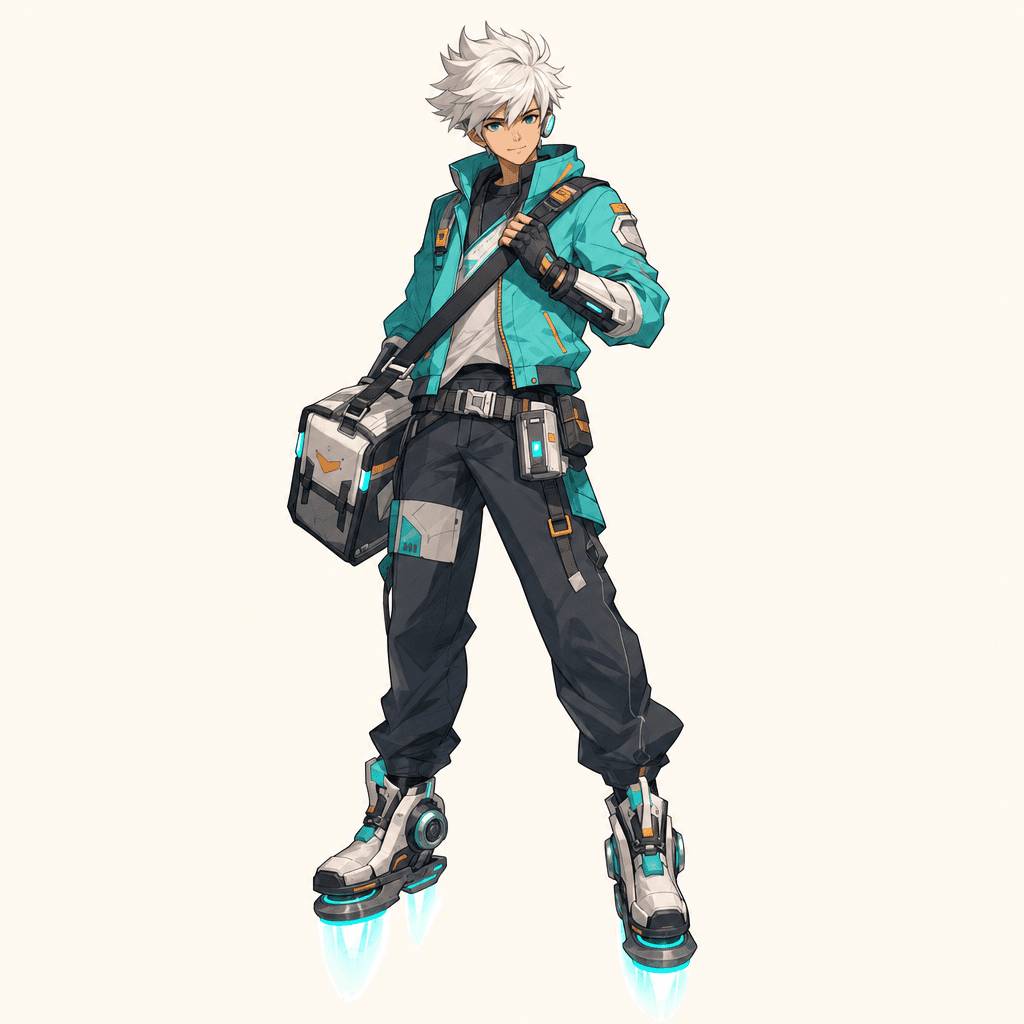
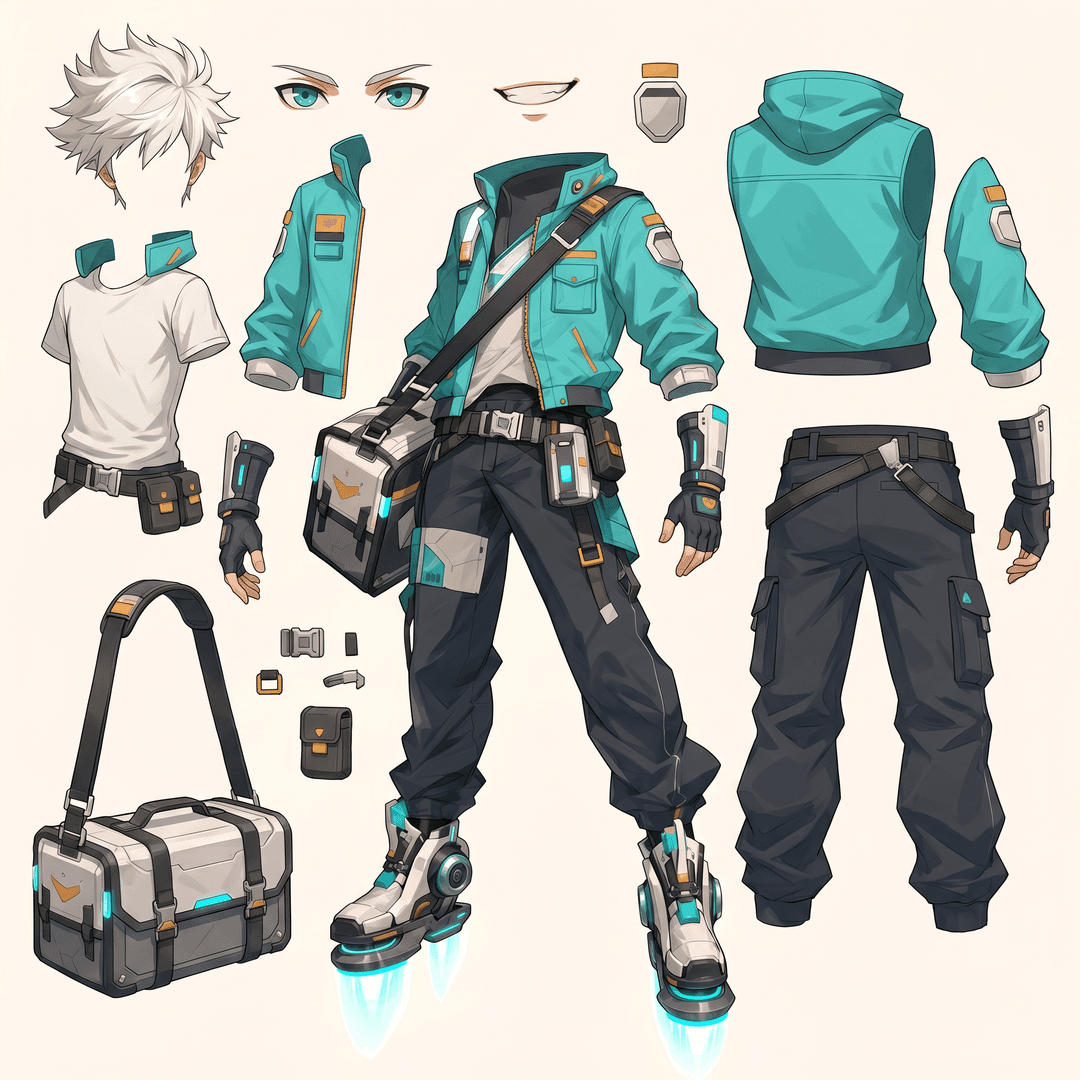
Sci-Fi Courier Character
Quick Mode converts a single character illustration into a parts sheet for animation and game asset planning.
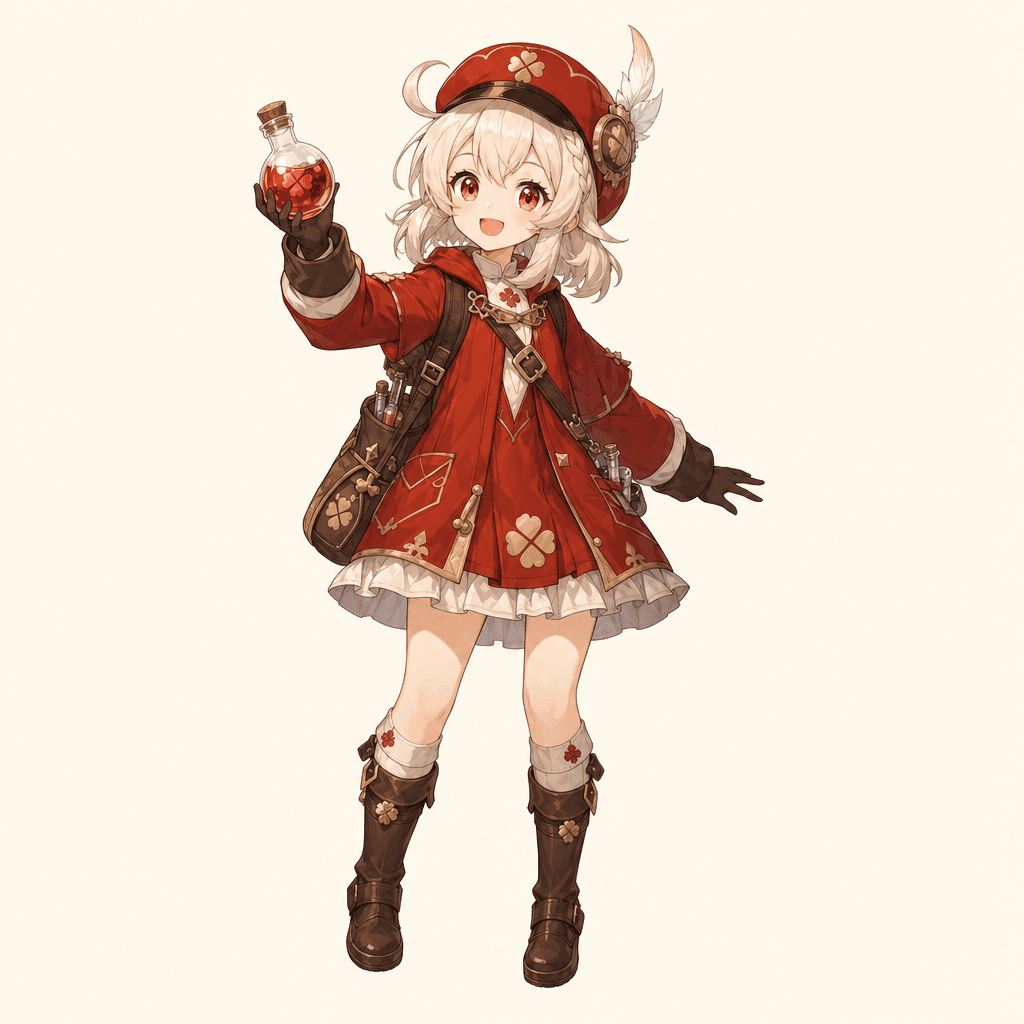
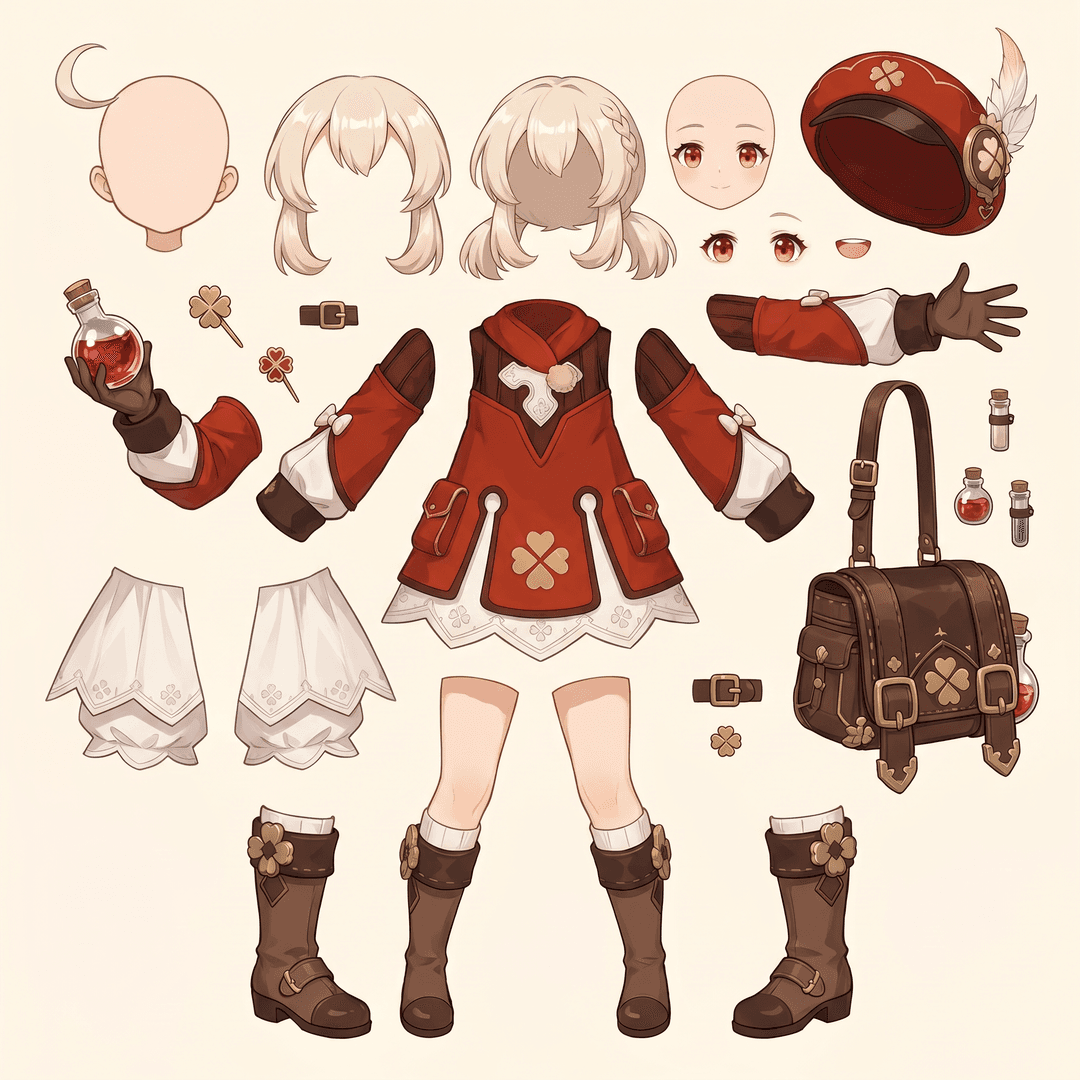
Fantasy Alchemist Character
The output keeps the original art direction while exposing the pieces that animators and game artists need.
Quick Mode vs PRO Mode
Pick the output that matches the job instead of forcing every user into a complex workflow.
| Need | Quick Mode | PRO Mode |
|---|---|---|
| Output | One clean split asset sheet | Separate layer images |
| Best For | Fast animation and game asset planning | Detailed editing and compositing |
| Workflow | Upload once, generate once | Advanced extraction with more review |
Common Questions About AI Layer Splitting
What is AI layer splitting?
AI layer splitting uses image models to separate a flat image into usable visual parts, such as character components, props, foreground subjects, backgrounds, or animation assets.
How do I split images into layers with AI?
Upload an image, choose Quick Mode or PRO Mode, generate the result, then download the asset sheet or separated layer outputs.
What is Quick Mode?
Quick Mode creates one organized asset sheet from the uploaded image. It is designed for users who want a direct, easy-to-understand output.
What is PRO Mode?
PRO Mode keeps the advanced workflow that extracts multiple individual layer images for users who need more editing control.
Can I use AI split layers for animation?
Yes. The outputs are useful for animation blocking, Live2D planning, parallax effects, talking character edits, and game asset preparation.
Do I need design skills to use it?
No. Quick Mode is built for simple upload-and-generate use. PRO Mode is available when you want more control over separate outputs.
What image types work best?
Clear character, prop, object, and illustration images work best, especially when major parts are visible and not heavily hidden behind other elements.
Can I edit the AI-split layers?
Yes. You can use the output as a reference sheet or download separated results in PRO Mode for editing, compositing, and repainting.
Can I use the results commercially?
You can use generated outputs according to your LlamaGen plan and our terms. Make sure the source image rights also allow your intended use.
What are the limitations?
Very small details, heavy occlusion, complex transparency, and overlapping parts may need manual cleanup or a second generation.
Creator Feedback
Designed for artists, animators, and game developers who need faster asset prep.

Mika
2D Animator
"Quick Mode gives me a clean parts sheet before I decide whether a character is worth rigging."

Jon
Indie Game Developer
"I use it to turn concept art into practical sprite and prop references without spending the morning on masks."