

從故事板畫面到動態設計

Storyboard to Video

把故事板畫面整理成可直接進入影片製作的規劃,包含鏡頭節奏、鏡頭運動、動態註記與創意方向,適合動畫或 AI 影片生成。

故事板規劃

Prompt to result
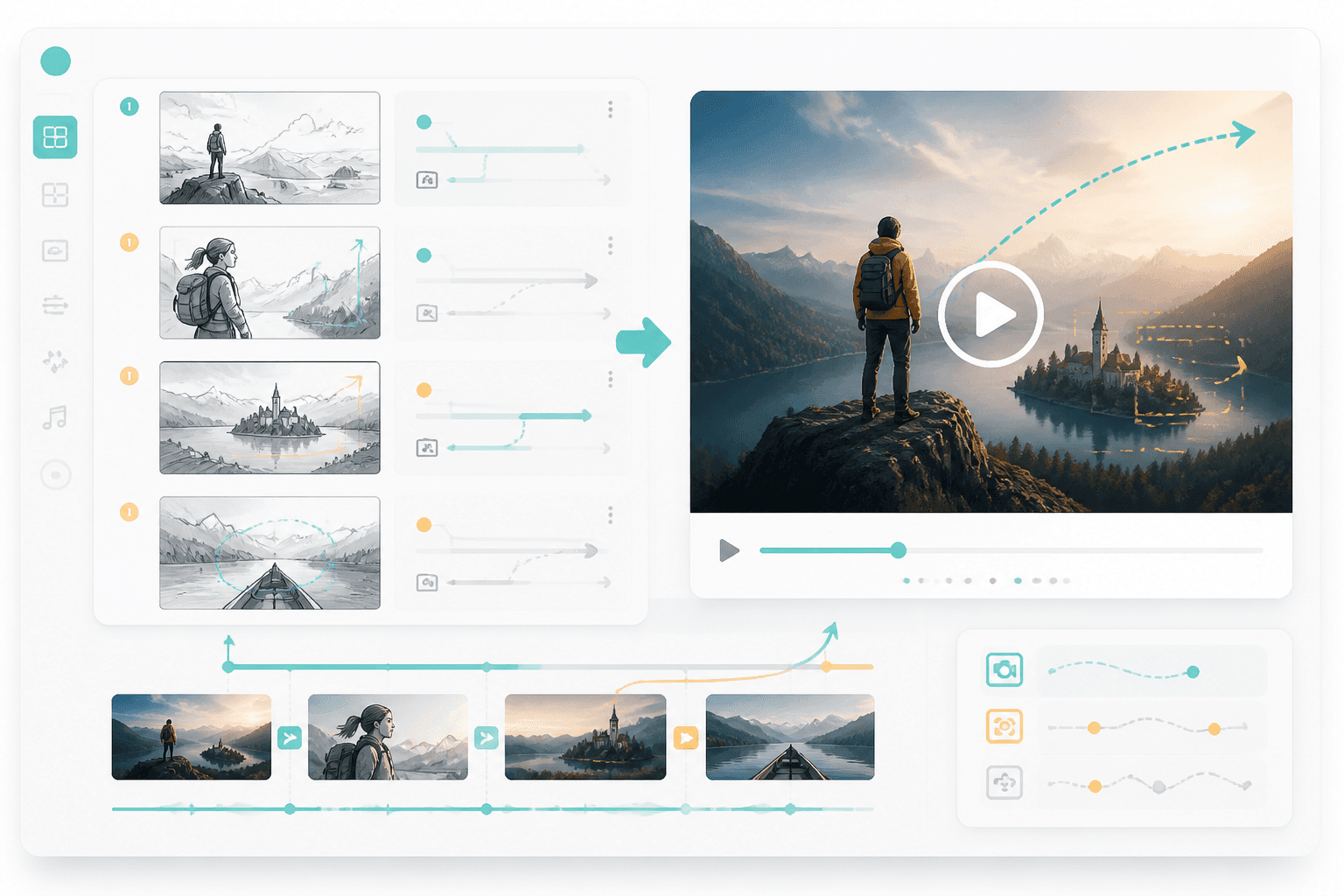
Use these six frames as a 20-second animated intro with slow push-in, reaction close-up, and final reveal.
Generate
故事板轉影片產品示意圖

動態規劃

畫面

轉為動態規劃

節奏

逐鏡頭對應

01

先準備故事板畫面

可使用故事板、鏡頭清單或視覺序列。

02

加入動態註記

定義時間節奏、鏡頭運動、轉場與角色動作。

03

生成影片方向

將規劃用於動畫、AI 影片或交接給剪輯流程。

串接視覺規劃與動態製作的橋樑。

這個頁面能讓使用者在完成故事板後,直接進入下一步:補上鏡頭時長、鏡頭運動與可用於影片製作的創意指示。

故事板畫面

匯入畫面順序、場景註記與鏡頭目標。

鏡頭時長
鏡頭運動
動態提示
影片格式

影片規劃

檢視節奏、轉場與動態方向。

故事板轉影片結果預覽

在生成影片前,故事板需要先補上動態語言。

當每個鏡頭都明確標示時長、鏡頭運動與轉場方向時,影片工具通常更能產出理想結果。

節奏很重要

只有在時長與節奏清楚後,單一畫面才真正成為一個鏡頭。

鏡頭運動

推進、平移、變焦與揭示,會直接改變故事的觀看感受。

影片交接更順

有了動態規劃,AI 影片或剪輯工具就能收到更明確的指示。

故事板畫面轉為影片規劃

動態

把畫面轉成逐鏡頭的動態規劃。

加入鏡頭運動、轉場與時間設定,讓每張故事板畫面都能變成可直接製作影片的場景。

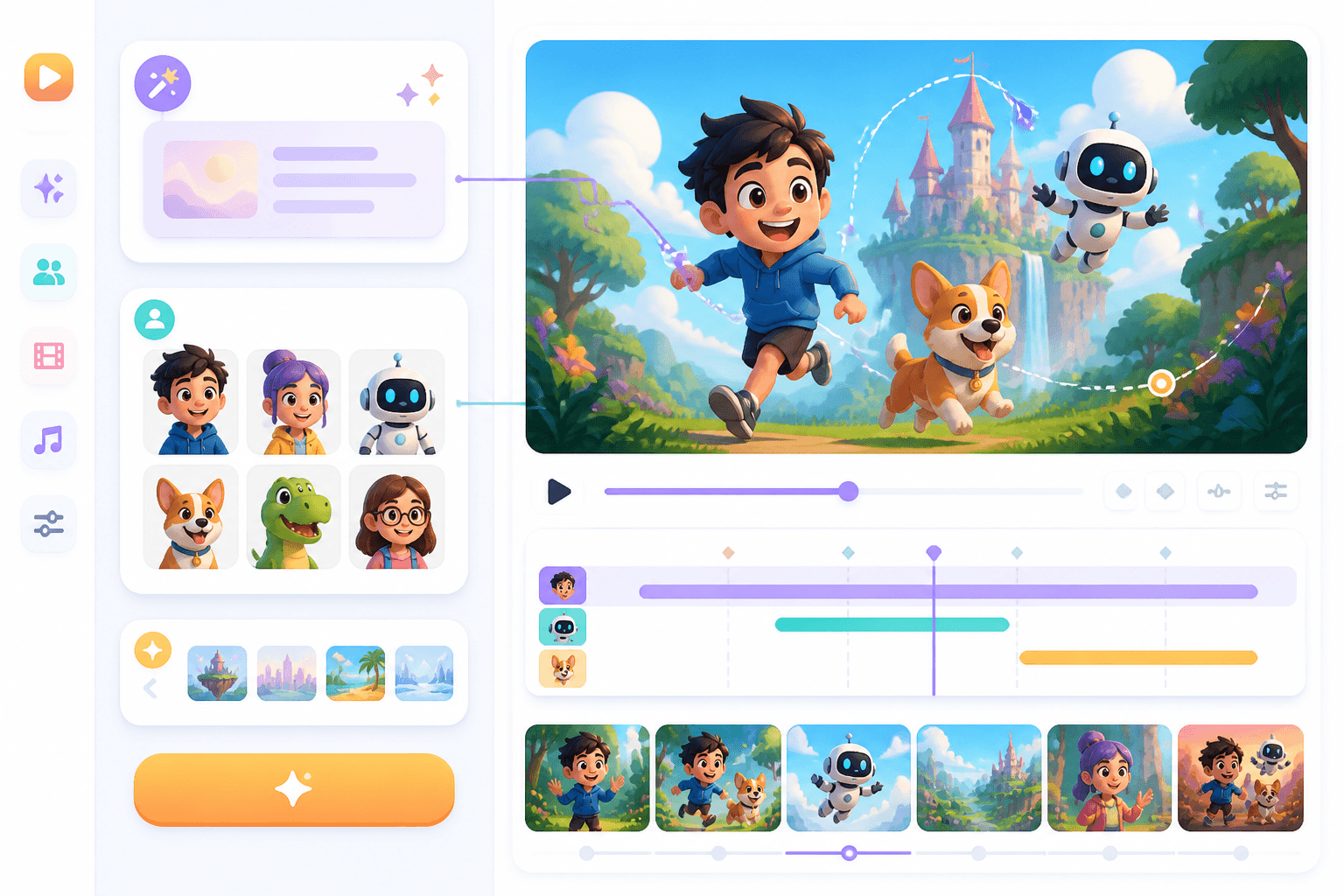
卡通影片生成器預覽

卡通

把故事板規劃接到卡通影片生成流程。

在動畫與卡通工作流程中,故事板就是角色動作與場景節奏的基礎結構。

Workflow guide

為靜態故事板補上動態意圖。

故事板轉影片頁面應清楚說明,如何為每個畫面加入時間、動作、鏡頭與製作方向。

01

先準備故事板畫面

可使用故事板、鏡頭清單或視覺序列。

02

加入動態註記

定義時間節奏、鏡頭運動、轉場與角色動作。

03

生成影片方向

將規劃用於動畫、AI 影片或交接給剪輯流程。

故事板轉影片提示詞範例

建議寫出畫面順序、時長、鏡頭與動態風格。

Turn these five storyboard frames into a 15-second product reveal with slow zooms and clean transitions.
Create motion notes for a comic action scene: fast pan, impact pause, reaction close-up, final wide shot.
Plan an animated webtoon trailer from eight vertical panels with parallax motion and dramatic cliffhanger.

Related writing workflow

Move the draft into screenplay form.

Use the AI Screenplay Editor when a script, fiction draft, storyboard brief, video idea, or canvas note needs proper scene headings, action, dialogue, parentheticals, cover pages, outlines, beats, and collaboration-ready revisions.

Hollywood formattingOutline, cover, and beatsAdvisor notes
Explore AI Screenplay Editor
Screenplay passReady

INT. COMMUNITY CENTER - NIGHT

Folded chairs. A storm outside. MAYA stands at the microphone with a page of notes she no longer needs.

MAYA

If the city will not read the record, we will read it out loud.
FormatHollywood
Beatslinked

Storyboard to Video 常見問題

讓你的故事板動起來。

補上節奏、動作與鏡頭方向,讓故事板更適合進入影片製作。